Leave Your Message
-
Phone
-
E-mail
-
Whatsapp

Choosing the best 5g Modem Router from China requires more than comparing download speeds. A polished product page can hide important details. Buyers should examine supported 5G bands, NSA and SA compatibility, carrier aggregation, firmware quality, and regional certification. These details decide whether a router performs well beside a city window or fails in a rural office.
Cristiano Amon, president and CEO of Qualcomm, has said, “5G is not just about faster speeds.” That principle matters here. A reliable 5g Modem Router should deliver stable connections, not only impressive peak figures. Look for practical features, including Wi-Fi 6 or Wi-Fi 7, gigabit Ethernet, external antenna ports, automatic band selection, and clear network management tools. Heat control also deserves attention. A router running beside a warm modem may throttle after several hours.
Real-world testing is essential. Place the device near a window, measure latency during evening congestion, and compare performance with a smartphone using the same SIM card. Check whether the interface provides signal readings, band locking, and connection logs. These small tools reveal technical weaknesses quickly.
Still, no single Chinese model suits every market. Firmware support can vary. Imported versions may lack local bands or dependable updates. That is easy to overlook. This guide compares leading options through performance, compatibility, security, build quality, and long-term value. It also recognizes an uncomfortable truth: the fastest router on paper may be the wrong choice for your network, location, or carrier.
What Is a 5G Modem Router and How Does It Work?
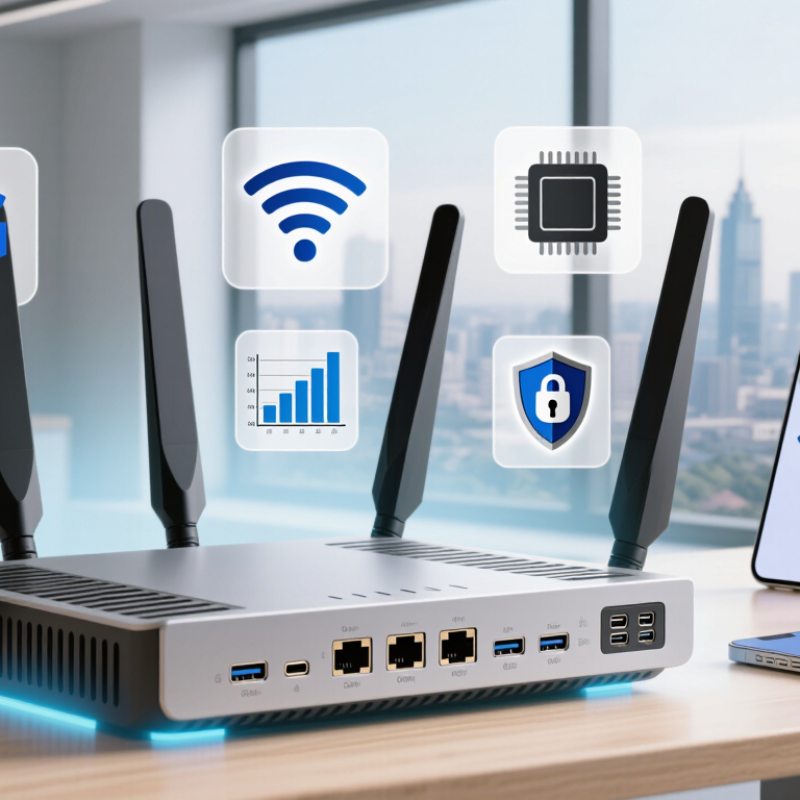
A 5G modem router combines two devices in one enclosure. The modem connects to a 5G mobile network through a SIM card. It receives radio signals from a nearby cell tower. Then, it converts those signals into an internet connection. The router shares that connection through Wi-Fi and Ethernet ports. Phones, laptops, cameras, and smart televisions can connect at the same time.
Performance depends on more than the word “5G.” Network bands, tower distance, indoor walls, congestion, and local carrier support all matter. A router near a window may perform better than one hidden inside a cabinet. Some models support standalone and non-standalone 5G modes. This difference can affect latency and connection stability. Download speeds may look impressive, but evening congestion can reduce them sharply. That is an easy detail to overlook.
Tips: Check supported bands before buying, especially for your country. Place the router high and near a window. Test both Wi-Fi and Ethernet speeds. An external antenna may help in weak-signal areas, but it cannot fix network congestion. Review firmware updates and security settings regularly. Change the default administrator password. A wired connection often feels steadier for gaming or video calls. Still, results vary between homes, even on the same street. My own evaluation would need repeated tests at different times, not one attractive speed reading.
| Evaluation Dimension | Typical Specification | How It Works or Why It Matters | Practical Selection Guidance |
|---|---|---|---|
| 5G Network Mode | NSA and SA support | NSA uses an existing 4G core network, while SA connects directly to a 5G core network and can provide lower latency and more advanced 5G functions. | Choose a model supporting both modes for better compatibility with current and future networks. |
| Common Sub-6 GHz Bands | Examples include n1, n3, n28, n41, n77, n78 and n79 | Sub-6 GHz signals generally travel farther and penetrate buildings better than millimeter-wave signals. | Verify the exact supported bands against the target operator and country; band availability differs by region. |
| Theoretical 5G Download Speed | Approximately 1–3.3 Gbit/s, depending on modem category and network configuration | The modem combines radio channels, spectrum bandwidth and multiple antennas to increase data throughput. | Treat peak speed as a laboratory maximum. Signal strength, congestion, spectrum and data-plan limits determine actual performance. |
| Typical Real-World Download Speed | Often about 100–1,000 Mbit/s in favorable conditions | Real throughput changes with distance from the cell site, indoor obstacles, network load and antenna placement. | Prioritize stable reception and supported bands rather than choosing solely by the advertised peak speed. |
| 4G Fallback | LTE support, commonly with carrier aggregation | When 5G coverage is unavailable, the router can use 4G LTE to maintain internet access. | A strong LTE fallback is important for rural areas, travel and buildings with weak 5G reception. |
| Wi-Fi Standard | Wi-Fi 6, with dual-band 2.4 GHz and 5 GHz operation | Wi-Fi 6 improves efficiency for multiple connected devices through technologies such as OFDMA and improved scheduling. | Select Wi-Fi 6 or newer when several users stream video, work remotely or connect smart-home devices simultaneously. |
| Wired Network Ports | One 2.5-Gigabit Ethernet port plus Gigabit Ethernet ports on higher-performance models | Ethernet provides a more stable connection than Wi-Fi for desktop computers, televisions, cameras and access points. | A multi-gigabit port prevents the wired connection from limiting a fast 5G service plan. |
| SIM and Network Unlocking | Nano-SIM or embedded SIM support; unlocked operation varies by model | The SIM authenticates the router on the mobile network and applies the subscriber's data plan. | Confirm SIM size, APN configuration, operator approval and whether the device is network-unlocked. |
| External Antenna Support | Optional detachable cellular antennas on selected indoor models | External antennas can improve signal quality when the router is installed far from a window or in a weak-coverage area. | Check connector type, supported antenna frequency range and whether antenna ports support 4G and 5G bands. |
| Latency | Approximately 10–30 ms under favorable 5G conditions; higher during congestion | Latency measures the time needed for data to travel between the router and the network service. | For gaming, video calls and remote control, stable latency is more important than maximum download speed. |
| Security Features | WPA2, WPA3, firewall, guest network and firmware updates | These features help protect wireless traffic, separate visitors from local devices and reduce exposure to network threats. | Prefer products with WPA3, automatic updates, configurable firewall rules and a clear update-support policy. |
| Best Use Case | Home broadband replacement, temporary office, rural connectivity or backup internet | A 5G modem router receives cellular data through the mobile network and shares it through Wi-Fi and Ethernet. | For most homes, the best overall configuration is dual-mode 5G, broad regional band support, Wi-Fi 6, a multi-gigabit port and external antenna options. |