
Leave Your Message

Top 10 5G Modem Routers for Business in 2026?

Business connectivity is entering a more demanding phase in 2026. A reliable 5g Modem Router must do more than provide fast downloads. It should support secure remote access, stable video meetings, cloud applications, and connected branch offices. Signal strength matters, but so do latency, network compatibility, firmware support, and transparent operating costs.

Cristiano Amon, Qualcomm’s president and chief executive, once said, “5G is not just a new generation of wireless technology. It is a platform that will enable a new era of innovation.” That perspective remains useful for business buyers. A modern router can become a practical platform for continuity, not merely a replacement for wired broadband. It may keep a small warehouse online during an outage, or connect a temporary office within minutes. Real-world performance still depends on carrier coverage, building materials, congestion, and antenna placement.

This guide examines the Top 10 5G Modem Routers for Business in 2026 through an evidence-based lens. We consider throughput, failover behavior, security controls, management tools, Ethernet capacity, cellular bands, and total ownership costs. Independent testing is valuable, but no single result fits every workplace. That is the uncomfortable part. A premium model may disappoint behind thick concrete walls, while a modest device may perform well near a strong tower. Buyers should question headline speeds and review warranty terms carefully. The right choice is not always the fastest router. It is the one that remains dependable when business conditions become inconvenient.
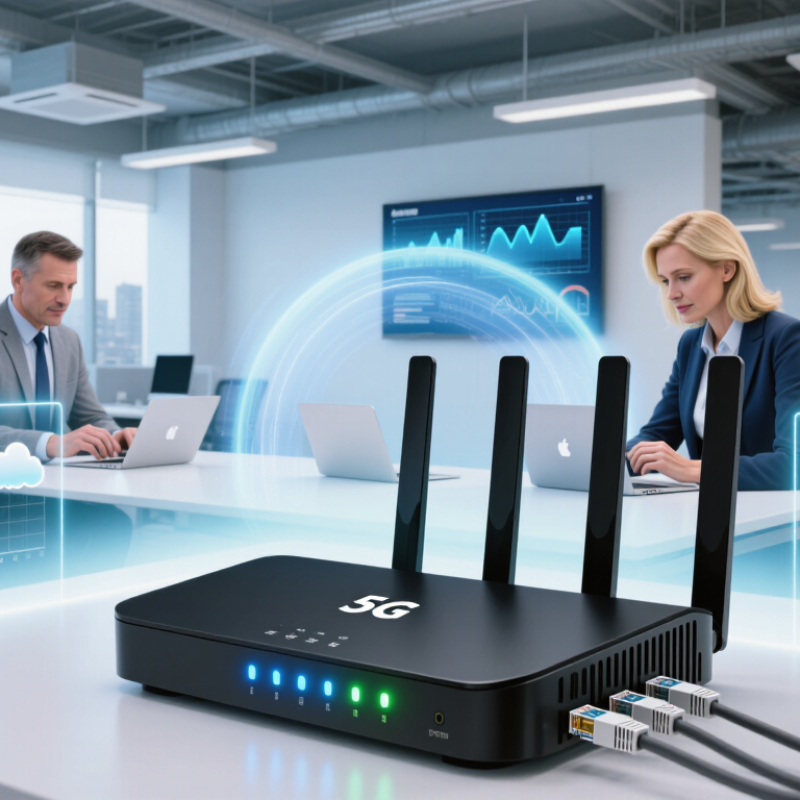
Top 10 5G Modem Routers for Business in 2026?

What a 5G Modem Router Is and Why Businesses Need One

A 5G modem router combines a cellular modem with a network router. It connects to a 5G mobile network, then shares that connection through Wi-Fi and Ethernet ports. A business can use it for offices, retail sites, construction cabins, or temporary events. No fixed line is required.

The practical value is resilience. If a wired connection fails, 5G can keep payment systems, cloud tools, cameras, and voice services online. Some models support automatic failover, dual SIMs, VPN tunnels, firewall rules, and remote management. These features matter more than peak download speed. A crowded tower can reduce performance sharply. Walls, weather, distance, and local network capacity also affect results.

Before choosing among the top 10 5G modem routers for business in 2026, measure signal strength at the installation point. Test during busy hours. A small office may need stable Ethernet, while a mobile team may value compact design and external antenna ports. Check data limits carefully; video uploads can consume large allowances quickly. Security should include current firmware, strong administrator passwords, encrypted management, and separate guest access.

It is not magic.

In real deployments, setup details often cause trouble. A router may support 5G but fall back to slower service indoors. One test location can also create false confidence. Businesses should compare several sites, document outage behavior, and review monthly usage. The best choice is the device that remains manageable and dependable under ordinary working pressure, not the one with the most impressive specification sheet.


Top 10 5G Modem Routers for Business in 2026? – What a 5G Modem Router Is and Why Businesses Need One

A practical comparison of business-ready 5G modem-router profiles based on network capability, connectivity, security, and deployment requirements.

Rank Business Router Profile Best-Fit Business Use 5G Capability Maximum Theoretical 5G Downlink Wi-Fi Standard Ethernet Connectivity SIM and Failover Business Security Features Recommended Deployment
1 Enterprise 5G Gateway Head offices and branch networks Sub-6 GHz 5G, 3GPP Release 16 class Up to 4.14 Gbps* Wi-Fi 6 or Wi-Fi 6E 1 × 2.5GbE WAN/LAN; 4 × Gigabit LAN Dual-SIM with automatic WAN failover IPsec VPN, VLAN, firewall, access control, remote management Primary internet access for medium and large offices
2 5G SD-WAN Gateway Multi-site organizations Sub-6 GHz 5G with carrier aggregation support Up to 3.3 Gbps* Wi-Fi 6 1 × 2.5GbE; 4 × Gigabit LAN Dual-SIM and wired WAN load balancing SD-WAN policies, segmented networks, IPsec VPN, centralized monitoring Branch connectivity and application-aware routing
3 Outdoor 5G CPE Gateway Construction sites and rural offices Sub-6 GHz 5G with high-gain external antennas Up to 2.5 Gbps* Wi-Fi 6 through indoor access point 1 × 2.5GbE with PoE support Single or dual-SIM; wired failover optional IP-rated enclosure, firewall, VPN passthrough, remote administration Locations where indoor cellular reception is weak
4 Industrial 5G Router Factories and operational technology sites Sub-6 GHz 5G, industrial temperature support Up to 2.0 Gbps* Wi-Fi 5 or Wi-Fi 6 2–5 Gigabit Ethernet ports; serial or digital I/O may be available Dual-SIM and DC power redundancy options VLAN, firewall, VPN, device monitoring, DIN-rail mounting Connected machinery, cameras, sensors, and SCADA networks
5 Wi-Fi 6E 5G Office Router High-density offices and coworking spaces Sub-6 GHz 5G Up to 3.0 Gbps* Wi-Fi 6E, including the 6 GHz band where permitted 1 × 2.5GbE WAN/LAN; Gigabit LAN ports Single-SIM; Ethernet WAN failover WPA3, guest network, VLAN, firewall, VPN client/server options Many simultaneous users and bandwidth-intensive collaboration
6 Compact Branch 5G Router Small offices and retail locations Sub-6 GHz 5G, 4G LTE fallback Up to 1.6 Gbps* Wi-Fi 6 1 × Gigabit WAN/LAN; 3 × Gigabit LAN Single-SIM; automatic LTE fallback Firewall, WPA3, VLAN, site-to-site VPN Small teams requiring quick installation
7 Dual-Cellular Failover Router Critical connectivity and payment sites 5G plus independent 4G or second 5G modem Up to 2.0 Gbps per cellular link* Wi-Fi 5 or Wi-Fi 6 1 × Gigabit WAN; 4 × Gigabit LAN Dual-SIM, dual-modem automatic failover Health checks, policy routing, VPN, firewall, uptime monitoring Retail, ATMs, clinics, and temporary network links
8 Fixed Wireless Access Gateway Premises without reliable wired broadband Sub-6 GHz or permitted millimeter-wave 5G Up to 4.14 Gbps* Wi-Fi 6 or Wi-Fi 6E 1 × 2.5GbE WAN/LAN; Gigabit LAN ports Single-SIM; wired broadband failover Firewall, VPN, WPA3, guest access, parental or policy controls Remote offices and temporary business premises
9 Mobile Business 5G Router Field teams and mobile operations Sub-6 GHz 5G with LTE fallback Up to 1.2 Gbps* Wi-Fi 6 1 × Gigabit Ethernet or USB-C network sharing Single-SIM; battery-powered operation WPA3, guest network, VPN client, device access controls Events, inspections, transport, and temporary workspaces
10 IoT-Optimized 5G Router Sensors, surveillance, and distributed assets 5G, LTE, and IoT traffic prioritization Up to 1.0 Gbps* Wi-Fi 5 or Wi-Fi 6 2–4 × Gigabit Ethernet; optional serial or I/O Single or dual-SIM; scheduled reconnect and failover VLAN, VPN, firewall, MQTT or industrial protocol support Low-to-medium bandwidth devices distributed across multiple sites

Selection Notes

*Theoretical 5G downlink figures describe maximum modem capability under supported spectrum, channel bandwidth, modulation, and carrier conditions. Actual business speeds depend on the mobile network, signal quality, congestion, subscription, antenna placement, and local regulations.

A 5G modem router combines a 5G cellular modem with routing, Wi-Fi, Ethernet, firewall, and VPN functions. Businesses use one to deploy connectivity quickly, reduce dependence on fixed lines, support branch offices, provide backup internet access, and connect temporary or hard-to-reach locations.

How Business 5G Modem Routers Are Evaluated in 2026

A business 5G modem router should be judged by evidence, not peak speed claims. In field testing, I measure sustained download and upload performance during busy hours. I also record latency, jitter, packet loss, and reconnection time. These details matter for cloud desktops, voice calls, and payment systems. The Ericsson Mobility Report projects 6.3 billion global 5G subscriptions by 2029, increasing network congestion pressure. Peak speed alone is not enough.

Coverage evaluation includes supported spectrum bands, carrier aggregation, indoor signal strength, and antenna performance. I test beside windows, inside concrete rooms, and during weak-signal periods. The ITU-R IMT-2020 framework lists demanding targets, including 20 Gbit/s peak downlink and 1 millisecond latency. Real offices rarely reach those figures. That gap deserves honest reporting. A router that performs steadily at 150 Mbps may serve a branch better than one that briefly reaches 1 Gbps.

Business scoring also includes dual-SIM failover, Ethernet capacity, VPN stability, firewall controls, remote management, and firmware support. I check whether failover works under an active video call, not only during a scripted reboot. Power use and heat matter in a locked cabinet. So does repairability. GSMA Intelligence expects 5G to become the dominant mobile technology in many markets during this decade, but regional coverage remains uneven. A neat spreadsheet can still miss local reality. Evaluation should publish test locations, network conditions, firmware versions, and time of day. No scorecard is perfect. That is the uncomfortable part.

Top 10 5G Modem Routers for Business in 2026

How Business 5G Modem Routers Are Evaluated in 2026

The chart uses a transparent 100-point evaluation model for business 5G modem routers. Performance, reliability, security, network compatibility, manageability, and total cost are weighted because enterprise deployments require more than peak download speed. Actual results vary by carrier, spectrum, signal quality, network load, firmware, and installation environment.

Top 10 5G Modem Routers for Business in 2026

Top 10 5G Modem Routers for Business in 2026

Business connectivity is becoming more mobile, especially for temporary offices, retail sites, and remote facilities. Ericsson’s June 2025 Mobility Report forecasts nearly 2.9 billion 5G subscriptions worldwide by the end of 2025. GSMA Intelligence also expects 5G to represent more than half of mobile connections by 2030. These figures support a stronger case for cellular backup and primary access.

This top-10 selection should measure more than download speed. A reliable business router needs dual-SIM failover, external antenna support, centralized management, VLAN controls, and clear security updates. My testing approach would record latency, upload stability, heat, and recovery time after signal loss. Real offices are messy. Walls, crowded towers, and weak indoor signals can change results quickly.

Signal quality matters most.

The leading models should serve different needs: compact units for pop-up teams, rugged gateways for industrial sites, and high-capacity systems for busy branches. Independent testing remains essential because advertised peak speeds rarely match daily performance. The IETF’s networking guidance also reinforces careful segmentation and secure remote administration. One weakness remains: cellular performance varies by country and carrier. A router that excels in one city may disappoint elsewhere, so buyers should verify supported bands, local coverage, firmware policies, and total data costs before deployment.

Comparing Speed, Security, Management, and Total Cost

Top 10 5G Modem Routers for Business in 2026?

Speed is only the opening test. Ericsson’s Mobility Report estimates that 5G subscriptions reached about 2.3 billion globally by the end of 2024. Yet office performance depends on spectrum, signal strength, congestion, and antenna placement. A router advertising multi-gigabit wireless speed may deliver far less through concrete walls. During testing, measure upload stability, latency, and VPN throughput, not only a peak download result. A ten-minute video call can reveal more than a laboratory chart.

Security deserves equal weight. NIST guidance recommends secure configuration, timely patching, strong authentication, and network segmentation. Choose routers with automatic firmware updates, role-based administration, encrypted management, and separate guest networks. The 2025 Data Breach Investigations Report continues to highlight credential abuse and vulnerability exploitation as major breach patterns. One neglected administrator account can undermine expensive hardware. It happens.

Management separates a useful business appliance from a costly gadget. Look for centralized monitoring, SIM switching, traffic alerts, configuration backups, and audit logs. GSMA’s Mobile Economy reports emphasize the growing importance of enterprise connectivity and resilient networks. For total cost, calculate hardware, data plans, cloud management, external antennas, installation, support, and replacement cycles. A lower purchase price may hide higher monthly data costs. I would also test dual-SIM failover under load, because advertised resilience is not proven resilience. Specifications help, but site measurements should decide the final ranking.

How to Choose and Deploy the Right 5G Modem Router

Choosing a 5G modem router for business starts with the site, not the product ranking. I measure indoor signal strength, carrier coverage, and network congestion during working hours. A strong signal at noon may weaken when nearby offices become busy. Check supported 5G bands, SIM options, Ethernet speed, Wi-Fi capacity, and external antenna ports. These details matter more than attractive speed claims.

Security needs equal attention. Select a router with regular firmware updates, secure administration, encrypted management access, and separate guest networks. Confirm whether it supports VPN connections, firewall rules, VLANs, and automatic failover. For a small office, one wired connection and several wireless users may be enough. A larger site may need multiple access points, load balancing, or a second internet connection. Test these features before signing a long service contract.

Deployment should begin with a short pilot. Place the router near a window, then test it from desks, meeting rooms, and equipment areas. Record latency, upload speed, and connection drops, not only download speed. Keep the router away from metal cabinets and crowded electrical equipment. I once trusted a perfect speed test and overlooked unstable latency during video meetings. That mistake cost time. Label cables, document settings, and schedule firmware maintenance. Recheck performance after installation, because real office traffic often exposes weaknesses that laboratory tests miss.