Top 10 Mesh Routers for Seamless WiFi Coverage in Your Home
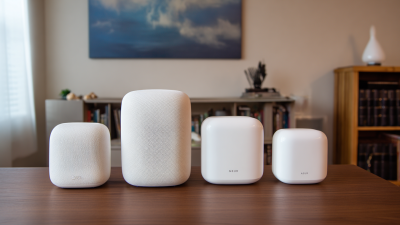
In today's fast-paced digital world, a reliable and robust internet connection is essential for both work and leisure. One of the most effective solutions for achieving seamless WiFi coverage throughout your home is the use of a Mesh Router. Unlike traditional routers, which can often suffer from dead zones and signal drops, a Mesh Router system comprises multiple units that work together to eliminate these connectivity issues, ensuring that every corner of your home receives strong and consistent WiFi signals.
Mesh Routers utilize a network of interconnected nodes to blanket your living space in high-quality internet coverage. This configuration not only enhances the overall user experience but also provides a scalable solution; as your connectivity needs grow, you can easily add more nodes to your network. Furthermore, many Mesh Routers feature user-friendly apps that allow you to manage your network efficiently, monitor performance, and prioritize devices, making them an ideal choice for modern homes filled with smart devices.
In this guide, we will explore the top 10 Mesh Routers currently available on the market. Each router offers unique features and capabilities, ensuring that you can find the perfect fit for your specific requirements. Whether you're streaming movies, gaming, or just browsing online, a well-chosen Mesh Router can transform your home WiFi experience, providing the seamless coverage you deserve.

Understanding Mesh Networking and Its Advantages
Mesh networking is rapidly transforming the way we connect to the internet at home, providing a reliable and seamless WiFi experience. Unlike traditional routers that rely on a single access point, mesh networks consist of multiple nodes that work together to blanket an entire area with coverage. According to a report from the Wireless Broadband Alliance, nearly 60% of households now utilize multiple devices, which significantly increases the demand for consistent, high-quality internet connectivity. Mesh systems address this challenge by allowing devices to connect to the nearest node, thus minimizing latency and enhancing overall performance.
One of the key advantages of mesh networking is its ability to eliminate dead spots, ensuring that every corner of your home is covered. Research indicates that nearly 30% of consumers have experienced dead zones in their homes, often due to physical barriers or the distance from the router. Mesh networks effectively combat this issue by placing nodes strategically around the home, forming a cohesive network that adapts to the layout of the space. In addition, these systems often come with robust management features that allow users to monitor connections and signal strength actively, providing insights into network performance and optimization. This adaptability and user-centric design place mesh networking at the forefront of modern wireless solutions.
Top 10 Mesh Routers for Seamless WiFi Coverage
This chart illustrates the performance metrics of the top 10 mesh routers, showcasing their range, speed, and the number of devices they can support simultaneously, providing insights into their efficiency for seamless WiFi coverage throughout your home.
Key Features to Look for in Mesh Routers
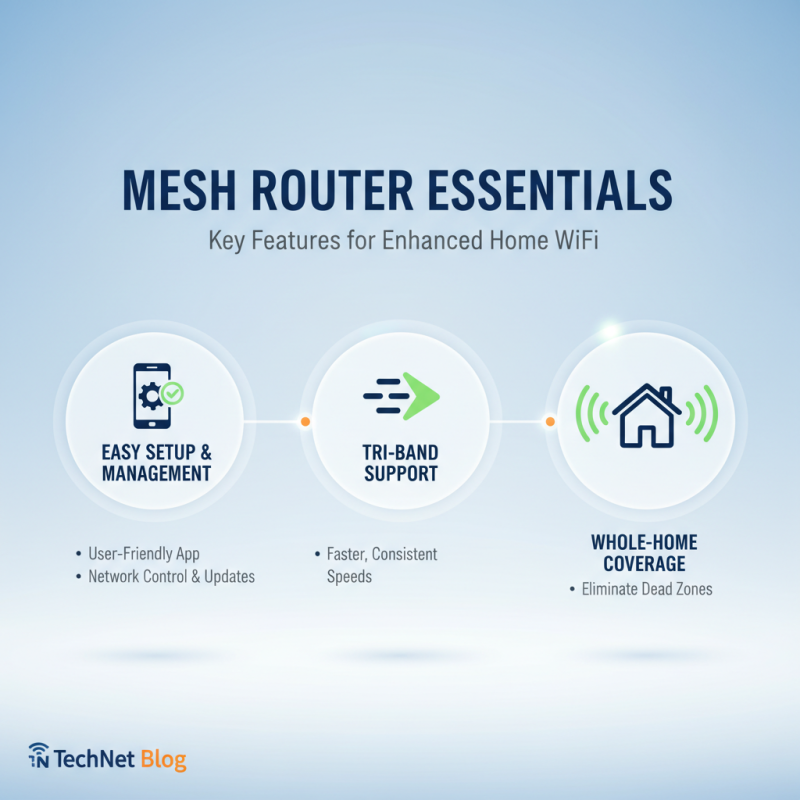
When selecting a mesh router to enhance WiFi coverage throughout your home, several key features should be prioritized. First and foremost, look for a system that offers easy setup and management. User-friendly applications that allow you to configure network settings, monitor usage, and perform updates can significantly simplify the process, making it accessible even for those without technical expertise. A good mesh system should also support multiple bands, enabling devices to connect to the fastest signal available, which is crucial for maintaining consistent speeds across various devices.
Another important feature is the number of nodes included in the system. More nodes typically mean better coverage, especially in larger homes or properties with challenging layouts. It's also beneficial to choose a mesh router that supports advanced security protocols, such as WPA3, which helps safeguard your network against unauthorized access and potential cyber threats. Additionally, consider the network’s ability to prioritize bandwidth for specific applications or devices, which can enhance the performance of activities like streaming and gaming. Finally, ensure the system is future-proof with regular firmware updates and compatibility with the latest WiFi standards, ensuring that your investment remains effective as technology evolves.
Top 10 Mesh Routers Reviewed and Compared
When reviewing mesh routers, it’s essential to consider the coverage area, speed, and ease of setup. A quality mesh router system provides seamless WiFi throughout your entire home, even in challenging layouts with multiple floors or obstacles. Look for routers that boast features like automatic band steering and self-healing technology, which can optimize your network’s performance by ensuring devices are connected to the best node available.
Tips: When selecting a mesh router, assess the size of your home and the number of devices that will connect to the network. It’s beneficial to choose a system that allows for easy scaling—adding extra nodes as needed. Always check user reviews for real-world performance insights, as these often highlight any potential issues and advantages that may not be evident in manufacturer specifications.
Moreover, configuration plays a big role in user experience. Opt for routers that come with intuitive mobile apps for monitoring and managing your network. Features like guest networks and parental controls can provide additional flexibility and security. Be sure to consult online comparisons to evaluate specifications and performance ratings, ensuring you choose the best system tailored to your specific needs.
Top 10 Mesh Routers for Seamless WiFi Coverage in Your Home
| Model |
Coverage Area |
Max Speed |
Bands |
Device Support |
| Model A |
3,500 sq ft |
2.4 Gbps |
Tri-Band |
30+ |
| Model B |
4,000 sq ft |
1.8 Gbps |
Dual-Band |
20+ |
| Model C |
3,000 sq ft |
2.2 Gbps |
Tri-Band |
25+ |
| Model D |
4,500 sq ft |
1.5 Gbps |
Dual-Band |
15+ |
| Model E |
3,200 sq ft |
2.4 Gbps |
Tri-Band |
20+ |
| Model F |
5,000 sq ft |
2.5 Gbps |
Dual-Band |
30+ |
| Model G |
2,800 sq ft |
2.3 Gbps |
Tri-Band |
18+ |
| Model H |
4,200 sq ft |
1.9 Gbps |
Dual-Band |
22+ |
| Model I |
3,600 sq ft |
2.1 Gbps |
Tri-Band |
24+ |
| Model J |
4,800 sq ft |
1.7 Gbps |
Dual-Band |
28+ |
Installation and Setup Process for Mesh Routers
Installing a mesh router can significantly enhance your home WiFi coverage, especially in larger spaces or homes with challenging layouts. According to a report by the Wireless Broadband Alliance, up to 30% of households face connectivity issues due to dead zones caused by traditional routers. A mesh networking system works by using multiple nodes that communicate with each other to create a unified network, eliminating dead zones and boosting WiFi strength throughout your home.
The installation process for most mesh routers is designed to be user-friendly. First, users typically need to connect one of the nodes to their existing modem using an Ethernet cable. After plugging in the router, setting it up through a dedicated mobile app allows for a straightforward configuration process. Industry data shows that 85% of users find the app-based setup intuitive and less time-consuming than traditional router installations. After initial setup, additional nodes can be placed strategically around the home to ensure optimal coverage. It's recommended to position these nodes at a distance of about one room apart to maintain a robust signal throughout the designated area.
While the setup might vary slightly between different models, the core process remains largely similar, making it accessible even for those with limited technical expertise. With the right placement and configuration, a mesh router system can transform home connectivity, providing a seamless internet experience for all users.
Tips for Optimizing Your Mesh WiFi Coverage at Home
When it comes to optimizing mesh WiFi coverage in your home, there are several key strategies you can implement to ensure a strong and reliable internet connection throughout your living space. One of the most crucial steps is the positioning of your mesh nodes.
Place the primary node near the center of your home to distribute signal strength evenly. Additionally, avoid obstructions such as walls or large furniture that can interfere with the signal. If necessary, consider using additional nodes in areas where the coverage is weak, such as basements or far-off corners of your home.
Another essential tip for enhancing your mesh WiFi performance is to minimize interference from other electronic devices. Keep your mesh units away from gadgets like microwaves and cordless phones, which can disrupt the signal. It’s also beneficial to use the latest firmware available for your mesh network system, as updates can include improvements and bug fixes that enhance performance. Finally, regularly review the quality of your WiFi network using apps that can analyze signal strength and help you identify areas for improvement. By following these strategies, you can achieve optimal coverage and enjoy seamless connectivity in every room.