High Speed Router Tips for Best Performance and Purchase Guide?
In today’s fast-paced digital world, having a High Speed Router is essential for seamless internet connectivity. Research indicates that 59% of consumers experience regular buffering, which negatively impacts streaming and gaming experiences. Investing in a quality High Speed Router can drastically reduce latency and enhance overall broadband performance. Data from industry reports shows that a high-speed connection can improve download speeds by up to 300%.
Choosing the right High Speed Router, however, can be overwhelming. With countless models available, buyers often face difficulties identifying significant features. Factors like Wi-Fi standards, frequency bands, and range are critical. A report by the Federal Communications Commission highlights that over 40% of American households struggle with internet access. This underscores the importance of selecting routers that optimize performance.
While many routers promise high speeds, real-world performance can vary. Some users may find themselves dissatisfied with their purchase due to unfulfilled expectations. It's crucial to consider real user reviews and expert opinions when selecting. Understanding your specific needs will lead to more informed choices. A thoughtful purchase can bridge the gap between great speed and everyday usability.
Understanding High-Speed Routers: Key Features to Consider
Choosing the right high-speed router is crucial for optimal internet performance. When looking at key features, consider the speed rating. A consistent speed is essential for gaming and streaming. Look for routers with dual-band capabilities. They allow users to switch between frequencies, reducing congestion on a single band.
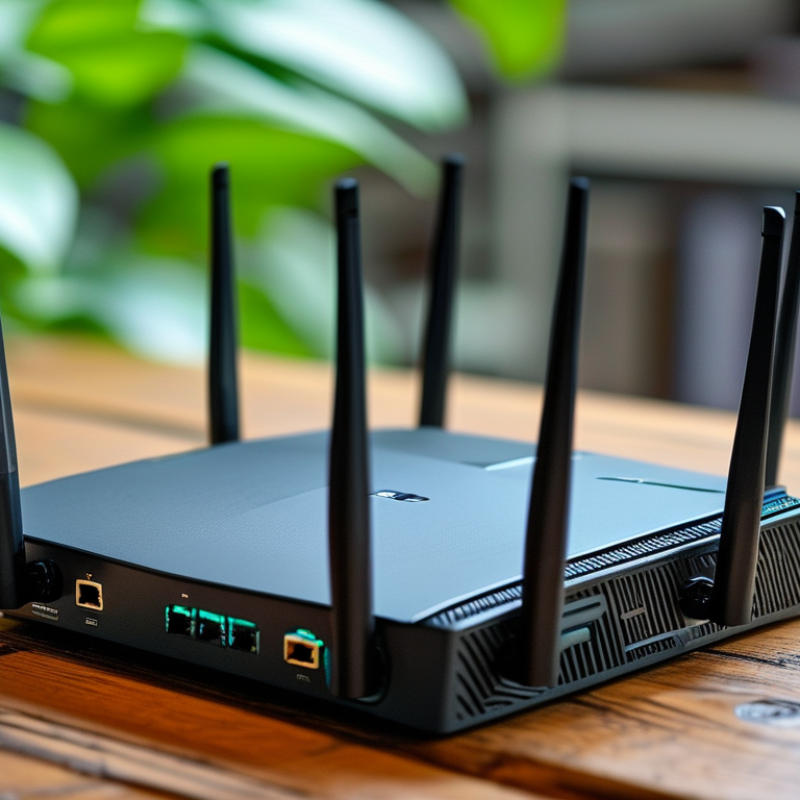
Another important aspect is coverage area. A router's range can significantly influence the user experience. Make sure to check the square footage the router covers. Some models struggle with larger spaces. Additionally, look for routers with multiple antennas. These provide better signal strength and stability in different areas of your home or office.
Security features should also be a priority. Routers come with various encryption options. A router with advanced security helps keep your data safe. It's vital to invest in secure technology. Don't overlook the importance of firmware updates. Neglecting this can leave vulnerabilities open for attacks. This requires ongoing attention from users. Choosing a router is complex but essential for a smooth internet experience.
Selecting the Right High-Speed Router: Essential Specifications
When selecting a high-speed router, key specifications play a crucial role. Look for dual-band support to reduce interference. A router that operates on both 2.4 GHz and 5 GHz bands provides flexibility in connectivity. This means you can connect devices that need higher speeds without losing signal quality.
Consider the speed rating of the router. Look for specifications like AC1200 or AC1900. These numbers indicate the maximum theoretical speed. However, keep in mind that real-world speeds may vary. Your internet service, distance from the router, and even obstacles like walls can affect performance.
Don’t overlook the importance of security features. Routers should offer encryption protocols like WPA3. This adds an extra layer of protection to your network. Also, check for firmware update capabilities. Regular updates can help close security gaps. Performance can degrade over time without proper maintenance, so proactive management is necessary.
High Speed Router Performance Comparison
Optimizing Your High-Speed Router for Maximum Performance
Optimizing your high-speed router can significantly impact your internet experience. Start by placing your router in a central location. This helps distribute the signal evenly throughout your home. Avoid hiding it in cabinets or corners. A clear line of sight can minimize interference from walls and furniture.
Another important tip is to keep your router updated. Firmware updates often include security patches and performance improvements. Check the manufacturer's website regularly. Ignoring these updates can leave your router vulnerable. It might also be running slower than it could.
Additionally, consider adjusting the antennae. Even a minor change in angle can enhance signal strength. Experiment with different positions. If you're dealing with dead spots, using range extenders can be helpful, but they might complicate your network. Always weigh the benefits against the potential for added complexity.
Common Issues with High-Speed Routers and Troubleshooting Tips
High-speed routers can face a variety of common issues that hinder their performance. One major problem is weak Wi-Fi signals. This can occur due to physical obstructions or interference from other electronic devices. To resolve this, try relocating your router to a more central position in your home. Elevating it also helps. Sometimes, simply rebooting the router can restore connectivity.
Another frequent issue is slow internet speeds. Factors such as network congestion or outdated firmware contribute to this. Regularly checking for firmware updates can help enhance performance. Moreover, consider limiting the number of connected devices. Too many devices can overload the network, slowing down your connection significantly.
Lastly, connection drops can be frustrating. Check the cables for wear and tear. Loose or damaged cables can disrupt your internet service. If problems persist, performing a factory reset can often provide a fresh start and resolve lingering issues. Regular maintenance and troubleshooting can greatly improve your router's reliability and overall performance.
High Speed Router Tips for Best Performance and Purchase Guide
| Feature |
Description |
Common Issues |
Troubleshooting Tips |
| Wi-Fi Standards |
Look for routers supporting 802.11ac or 802.11ax for faster speeds. |
Limited coverage and speed issues. |
Reposition router and reduce interference from other devices. |
| Dual-Band/ Tri-Band |
Supports both 2.4GHz and 5GHz bands for better performance. |
Devices only connecting to the congested band. |
Use the 5GHz band for less interference and higher speeds. |
| MU-MIMO Technology |
Enables multiple devices to receive data simultaneously. |
Slow speeds when multiple devices are connected. |
Ensure your devices support MU-MIMO for optimal performance. |
| Firmware Updates |
Keep firmware updated for security and performance enhancements. |
Security vulnerabilities and potential bugs. |
Regularly check for and install updates through the router settings. |
| Quality of Service (QoS) |
Prioritizes bandwidth for certain applications or devices. |
Congestion during high-demand activities like gaming or streaming. |
Configure QoS settings to prioritize critical applications. |
Budgeting for Your High-Speed Router Purchase: Value vs. Price
When budgeting for a high-speed router, it’s crucial to weigh value against price. A higher price doesn’t always guarantee better performance. Many economical options offer excellent features without breaking the bank. Look for essential specifications like speed, range, and number of devices supported. These factors significantly impact your internet experience.
Identify your specific needs before making a purchase. High-speed connectivity can benefit a home with multiple users. However, for light users, a budget-friendly option may suffice. Reading user reviews can help gauge consumer satisfaction. Sometimes, the cheapest models present major drawbacks. Users often report issues like poor range or inconsistent performance.
Consider future-proofing your investment. As technology evolves, routers may need upgrades. A slightly higher upfront investment might be wise. It’s easy to overlook long-term needs when focused solely on the initial price. Take your time. Explore various options before committing. Thoughtful consideration can lead to a more satisfying purchase.